


DISPENSARY WEBSITE DESIGN GUIDE

Dispensary website design guide: must-have pages, menus, speed, compliance

This dispensary website design guide is for the operator about to build or rebuild a site. You leave with a checklist you can run against your current site page by page, the criteria for choosing a menu-connected platform, the speed numbers to ask for, the compliance blocks your state expects, and a way to budget the work before you talk to any vendor, including us.

Updated 2026-09. Reading time about 11 minutes.

Coty McGowan
Written by

Coty McGowan

Director of Business Development


What a dispensary website has to do

A dispensary site has three jobs, and every design decision serves one of them.

  1. Rank locally. The Google Business Profile wins the click in the local pack; the site has to deserve it with indexable pages that name the city, the neighbourhood and the products. A site Google cannot read does not support the profile.
  2. Sell from the menu. The menu is the store. It must be current, searchable, indexable and able to take the pre-order or delivery order on your own domain, so the customer record is yours and not a marketplace's.
  3. Stay compliant. Age gate, state disclaimers, no health claims, no appeal to minors, and the rules that apply to your licence type. Compliance blocks must work without hiding the content from search engines.

A brochure site does the third job and none of the first two. A marketplace listing does the second job for someone else. The site you want does all three.

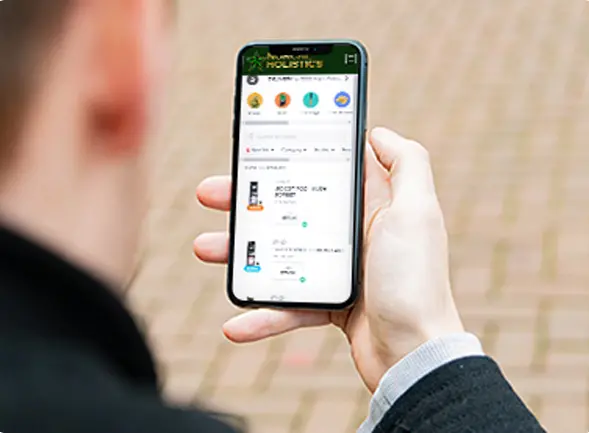
The must-have pages checklist

Use this dispensary website design checklist against your live site. Each item is written as a test you can run in a browser. Dispensary website must have pages are the first eight; the rest are conditional.

  1. Home — names the city and the store type in the first heading; links the menu and the location within one screen on mobile.
  2. Menu — product names, categories and prices appear in the page's HTML, not only inside a frame; category and product URLs are crawlable and self-canonical.
  3. Locations — one page per store with address, hours, phone, a map, parking and ID notes, and a link to that store's menu; the address matches the Google Business Profile exactly.
  4. Deals — current offers with start and end dates, written to your state's promotion rules.
  5. About — the licence, the story, the standards; no founder puff, no unverifiable claims.
  6. Contact — phone, form, hours and the same address string as the profile.
  7. Age gate — a real gate that sets a cookie and does not block the crawler from the content behind it.
  8. Legal — privacy policy, terms, accessibility statement and the state disclaimers your licence requires.
  9. Delivery (if you deliver) — zone checker, minimums, fees and ETA range on your own domain.
  10. Education or resources (optional) — only if you will keep it current; an empty blog is worse than none.

Two tests catch most failures. View the menu page's source: if product names are not in the HTML, Google is not indexing your inventory. Search your store name plus "menu": if a marketplace outranks your own domain, the site is losing job two.

Menu integration: native versus embedded, and what Google sees

There are two ways a menu reaches your site. An embedded menu drops a third-party frame or script into a page; it is quick and it renders for the customer, but the product data lives on the vendor's domain and the page carries almost no indexable text. A native, menu-connected menu syncs product data from your POS or e-commerce provider into pages on your own domain; staff update stock in the POS and the site follows, and each category and product gets a real URL.

The difference shows up in three places: the local pack (the profile links to a page Google can read), organic results for product and category terms, and the customer record on the order. Vendor names are third-party trademarks and partnership status is stated only where confirmed; the integration list and the "Menu, POS and loyalty systems talking to each other" target state are on the dispensary POS and menu integrations page.

Speed: what to measure and how

Ask for numbers with a tool and a date, never a promise of "perfect". The two that matter on a phone are Largest Contentful Paint (how quickly the main content appears) and Cumulative Layout Shift (how much the page jumps while loading). Measure with Lighthouse or PageSpeed Insights on the menu page and a location page, on mobile, three runs each, and record the date.

For reference, our own site's lab read: lab LCP 609–1,539 ms and CLS 0.00 across 10 lab runs — 5 pages × mobile/desktop (local Lighthouse, 2026-09-07 — lab figures, not live field data). The point is the format: a range, a run count, a tool and a date. Any builder should be able to give you the same for a live client site.

The usual speed killers on dispensary sites are the embedded menu script, uncompressed hero images, and third-party chat and popup widgets loading before content.

Compliance blocks

Five blocks, present on every dispensary site and specific to the state:

  • Age gate — 21+ (or 18+/19+ for medical and some markets), cookie-based, crawlable behind it.
  • State disclaimers — licence number and the required warnings, in the footer or on the pages the rule names.
  • No health claims — product copy describes the product, not what it cures.
  • No appeal to minors — imagery, characters and language that the state's rules prohibit stay off the site.
  • Consent capture — email and SMS sign-up with explicit opt-in language and a stop mechanism, stored with a timestamp.

The rules by state and the wording that keeps a site on the right side of them are in the cannabis marketing compliance guide.

Dispensary website examples: six live sites, annotated

The best dispensary website examples are ones you can open. Six from Dispenza's named live client list, all on SGEN. Open each one on a phone and run the notes beside it as a checklist.

  • Flora Terra — Santa Rosa, CA. Check: home names the city; menu URLs indexable; location matches the profile.
  • Double Dogs — Montana, 4 locations. Check: one location page per store, each linking its own menu; shared brand, separate addresses.
  • JoyLeaf — Roselle, NJ. Check: age gate behaviour; state disclaimers; menu in HTML.
  • MindLift — Plainfield, NJ. Check: deals page with dated offers; consent capture wording.
  • Lava Leaf — Farmington, NM. Check: mobile menu load; location page with parking and ID notes.
  • Halfpipe — Seaside, CA. Check: category URLs; hero image weight; contact address string.

More of the named list, with the showcase, is on dispensary websites.

cannabis dispensaries designs sampes

What is the best website builder for cannabis retailers?

Judge a builder on criteria before brand. Five that separate a dispensary platform from a general one:

  1. Menu integration — native sync from your POS or e-commerce provider into indexable pages, not a frame.
  2. Any e-commerce — pre-order and delivery checkout on your domain, whichever provider you run.
  3. Hosting included — performance, uptime and security handled, with the numbers above available on request.
  4. Backups and restores — a stated window; ours is 30-day backup and restores.
  5. A dedicated project manager — one person accountable for the build, and a team that updates it after launch.

Those five lines — "Menu Integration / Any Ecomm / Web Hosting / 30-Day Backup and Restores / Dedicated Project Manager" — are the deliverables printed on Dispenza's own web design plate. Dispenza's own answer, labelled as such: Dispenza builds on SGEN, the platform every one of Dispenza's 500+ dispensary sites runs on, and web design and development are included — no separate build fee. Judge that claim against the five criteria the way you would judge anyone else's.

On the cannabis website template question: a template is a layout, not a menu connection. A template can look finished in a day and still fail the menu test, the speed test and the compliance blocks. Buy the connection and the maintenance; the layout is the cheap part.

What a dispensary website costs and how to budget

Dispenza does not publish figures on this page. Pricing is scoped to your locations; every module in both plans is listed in full. What can be said with sources: third-party estimates put Dutchie e-commerce at $299–$1,000 per location per month (PricingNow, 2026-03-08), which is the menu layer alone before any site. A separate build quote, hosting, and someone to update the site after launch sit on top of that in the rented model.

Budget the site as part of the marketing line, not as a one-time capital item. The site is the landing page for the local pack, the checkout for the menu and the sign-up point for retention, so it is maintained and improved on a cadence: our own standard is that we proactively enhance our clients' websites every 90 days, described on the dispensary conversion rate optimization page. The full picture of what dispensary marketing costs, with the dated ranges, is in dispensary marketing cost.

The 10-line printable checklist

Run these in order before you sign with anyone.

  1. Product names appear in the menu page's HTML.
  2. Category and product pages have crawlable, self-canonical URLs.
  3. Each location page's address matches its Google Business Profile string exactly.
  4. The age gate sets a cookie and does not block the crawler.
  5. State disclaimers and licence number are present where the rule names them.
  6. Mobile LCP and CLS were measured with a named tool on a stated date.
  7. Pre-order or delivery checkout runs on your own domain.
  8. Email and SMS sign-up captures explicit, timestamped consent.
  9. Backups, restores and hosting are stated in writing, with a window.
  10. Someone is named as accountable for updates after launch.

For the local layer the site supports, see dispensary local SEO and GBP management. For multi-store structures, see multi-location dispensaries.

FAQ

What is the best website builder for cannabis retailers?

Judge on five criteria: native menu integration into indexable pages, checkout on your own domain with any e-commerce provider, hosting included with measured speed available on request, a stated backup and restore window, and a named project manager who maintains the site after launch. Dispenza's own answer, labelled as such: Dispenza builds on SGEN, the platform its 500+ dispensary sites run on. Test any builder, including us, against the same five criteria.

Do I need a separate site per location?

Usually not. One domain with one page per location keeps authority in one place, gives each store its own address, hours, menu link and map, and matches each Google Business Profile to its own URL. Separate domains split rankings and multiply maintenance. The exceptions are separate brands or separate licences that must be presented independently. For structure and menu routing across stores, see the multi-location dispensaries page.

About the author

Coty McGowan

Coty McGowan

Director of Business Development

Coty McGowan is Dispenza's Director of Business Development, and he walks operators through what they are actually buying when they commission a site. If you want this checklist run against your current site, start a conversation.